Tired of presentations that put your audience to sleep? Discover the secrets to crafting visually stunning PowerPoint slides that captivate and convert. In today's world, a well-designed presentation is more than just a visual aid; it's a powerful communication tool that can make or break your message. Whether you're a student aiming to impress with a project, a professional needing to sway clients, or an educator looking to engage a classroom, mastering presentation design is key. We've curated some of the top YouTube videos that will equip you with the skills to elevate your slides from basic to brilliant.
Key Takeaways
- 1Curated top YouTube videos for PowerPoint design.
- 2Learn to create visually striking, engaging slides.
- 3Master animations, image manipulation, and data visualization.
- 4Elevate your presentation skills from basic to brilliant.
- 5Deliver presentations that truly resonate and achieve goals.
Who this is for
- If you're a student struggling to make your project presentations stand out
- If you're a professional needing to impress clients or stakeholders with data
- If you're an educator looking to make your lectures more engaging and memorable
Start Learning with AI-Powered Video Summaries
Get instant summaries, ask questions, and turn any video into an interactive study session.
Try Querivo Free →Mastering Viral PowerPoint Designs with Animated Effects
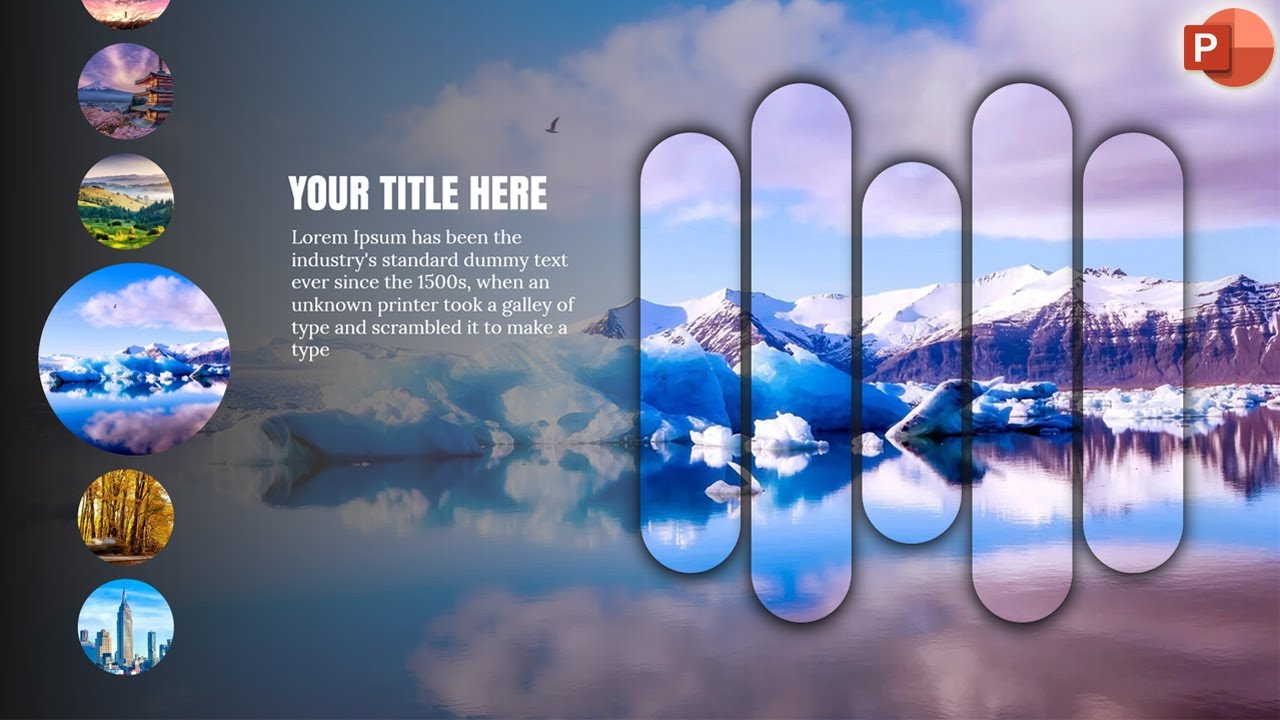
Ever wonder how some presentations just pop online? It’s often down to clever design and dynamic animations that grab attention. This video, "Creative Image Sliders in PowerPoint | Stunning Presentations with Morph Transition" by Knowledge for Future, dives deep into creating those eye-catching slides that feel fresh and engaging, moving beyond the standard templates. You'll find out how to make your PowerPoint presentations feel more like polished digital content, not just a static report.
The creator breaks down techniques for incorporating images in impactful ways, showing you how to manipulate them to fit your narrative. Plus, there are detailed walkthroughs on advanced shape formatting and layering, which really helps to build professional-looking aesthetics. When it comes to bringing it all to life, dynamic PowerPoint animations and transitions, particularly the Morph transition, are covered extensively. This gives your slides that much-needed visual flair. It's a fantastic resource for anyone aiming for that "viral" look, offering practical steps to implement advanced visual effects. Understanding how to use transitions like Morph effectively can transform a static slide into a dynamic visual story, making complex information more digestible and memorable for your audience.

- Learn to create 'viral' PowerPoint slides with trending techniques like the Morph transition.
- Practice advanced image manipulation and shape layering for professional aesthetics.
Building Engaging Presentations from Concept to Slide
A truly impactful presentation isn't just about pretty slides; it's about telling a story. The video "Creating impactful presentations" by Canva guides you through the entire process, starting from the very initial concept and structuring your ideas effectively. It’s not just about what you say, but how you structure it to keep your audience hooked from beginning to end. You'll discover the foundational principles that make presentations memorable and persuasive.
You'll learn how to develop a strong narrative that ties all your slides together, ensuring a cohesive and compelling flow. This video emphasizes that a well-structured narrative is the backbone of any great presentation. It also touches on the core principles of effective slide design and layout, showing how to use visual elements to enhance understanding and retention – which is super important for keeping your audience engaged. By the end, you'll have a solid grasp on achieving a polished and professional final product that communicates your message clearly and effectively, making your presentations more than just a delivery of information, but an experience for your audience.
- Develop a strong narrative and structure for your presentations from concept to conclusion.
- Use visual elements effectively to enhance audience comprehension and retention.
Study This Video Deeper
Get an AI summary and ask questions about confusing parts in real-time.
Open in Querivo →Streamlining Design with AI and Practical Tips
In the pursuit of stunning presentations, leveraging modern tools can significantly speed up your workflow. The video "Forget PowerPoint! The BEST AI Tool for Making Stunning Presentations | Gamma.app Tutorial" by Kevin Stratvert introduces Gamma.app as a powerful AI-driven alternative or complement to traditional presentation software. This resource is invaluable for those looking to accelerate the design process and generate visually appealing content rapidly.
While not directly a PowerPoint tutorial, this video offers a crucial perspective on contemporary presentation creation. It demonstrates how AI can assist in brainstorming, content generation, and initial design, freeing up your time to focus on refining the message and adding unique touches. You'll see how quickly professional-looking slides can be generated, showcasing the potential of AI in the presentation landscape. Understanding these tools can inspire new approaches to your own PowerPoint projects, encouraging you to think about how AI-generated elements could be integrated or how AI-driven concepts can inform your manual design choices.

- Explore AI-powered tools like Gamma.app for rapid presentation design.
- Understand how AI can augment traditional presentation workflows.
Quick Wins for Polished PowerPoint Slides
Sometimes, the most significant improvements come from understanding a few key principles applied consistently. The video "5 QUICK Ways to Improve Your PowerPoint Design" by Leila Gharani offers actionable, easy-to-implement tips that can dramatically enhance the visual appeal and professionalism of your slides. These are practical, no-fuss techniques that anyone can adopt immediately.
The creator shares strategies that focus on making your slides cleaner, more readable, and more impactful. You’ll learn about fundamental design choices that often get overlooked, such as font pairing, effective use of white space, and subtle alignment tricks. These aren't complex design theories, but rather practical adjustments that make a huge difference in how polished your final presentation looks. If you're looking for immediate, tangible improvements without a steep learning curve, this video is an excellent starting point to refine your existing PowerPoint skills.

- Implement five quick, impactful tips to instantly improve PowerPoint slide design.
- Focus on practical techniques for cleaner, more readable, and professional slides.
Your Next Steps
Transform your presentations from mundane to memorable by mastering the design techniques and creative approaches shared in these top YouTube tutorials. Focus on visual impact, clear communication, and engaging storytelling, and you'll definitely see a difference. Whether you're exploring AI-powered design assistants, refining your narrative structure, or implementing quick design fixes, the resources above provide a solid foundation for creating presentations that truly resonate with your audience and achieve your goals.
Your Action Items
- ☐Pick one video from above and watch it on Querivo
- ☐Ask questions and check summaries while watching without breaking your flow
- ☐Use the AI chat to clarify confusing parts and deepen understanding
- ☐Come back for more curated videos on topics you want to master
Start applying these techniques today and craft presentations that truly resonate with your audience!
Turn Any YouTube Video into an Interactive Lesson
Paste any video link, get an instant AI summary, and ask questions in real-time.
Try Querivo Free →Related Videos You Might Enjoy
Looking for more perspectives on this topic? Here are some additional videos worth checking out: