Tired of presentations that put your audience to sleep? Unlock the power of engaging visuals and confident delivery with the best YouTube has to offer.
Key Takeaways
- 1Master PowerPoint skills for impactful presentations.
- 2Learn to design visually stunning and professional slides.
- 3Discover techniques for captivating your audience.
- 4Elevate your public speaking with effective slide integration.
- 5Transform presentations from mundane to magnificent.
Who this is for
- If you're struggling to keep your audience engaged during presentations
- If you're a student or professional looking to enhance your delivery skills
- If you're a beginner wanting to create polished and impactful slides
Start Learning with AI-Powered Video Summaries
Get instant summaries, ask questions, and turn any video into an interactive study session.
Try Querivo Free →Build a Solid Foundation: Master Professional Slide Design
Creating presentations that resonate means starting with a strong visual foundation. It's not just about slapping text onto a slide; it's about building a cohesive and professional look that guides your audience. This first video we've found really digs into the nuts and bolts of making your slides look consistently polished, right from the get-go. It shows you how to ensure your branding, your logos, and even simple borders are applied uniformly across your entire deck. And frankly, that consistency is a total game-changer for perceived professionalism.
You'll also discover how to leverage real-world data, like from an Excel spreadsheet, to create impactful bar charts directly within PowerPoint. But it's not just about plugging in numbers; the creator dives into optimizing those charts. Think formatting axes just right, adjusting that crucial gap width between bars, and making sure data labels are clear and readable. Plus, we'll look at how simple shapes, like lines, can be used effectively for visual separation, breaking up content and drawing the eye exactly where it needs to go. It’s about making your data work harder for you visually.
- Leverage Slide Master for consistent branding and layout.
- Learn to create and optimize impactful bar charts from your data.
Study This Video Deeper
Get an AI summary and ask questions about confusing parts in real-time.
Open in Querivo →Elevate Your Visual Storytelling with Engaging Graphics
Once you've got that solid structural base, it's time to really make your presentations pop. This next video explores how to go beyond basic charts and really inject visual dynamism into your slides. We're talking about creating infographics and diagrams that don't just look good, but actually simplify complex information. Imagine presenting intricate data or processes in a way that’s instantly understandable – that’s the goal here.
You'll learn techniques for incorporating high-quality images and icons effectively, making sure they enhance your message rather than cluttering the screen. Plus, the creator touches on visual hierarchy, a super important concept for guiding your audience's attention. It’s about making sure the most critical elements on your slide are immediately obvious. And for those who like a bit of subtle flair, there are methods for animating elements without going overboard. Think gentle movement that guides the eye or emphasizes a point, rather than distracting animations that pull people out of the content. It's about using visuals to tell a better story.
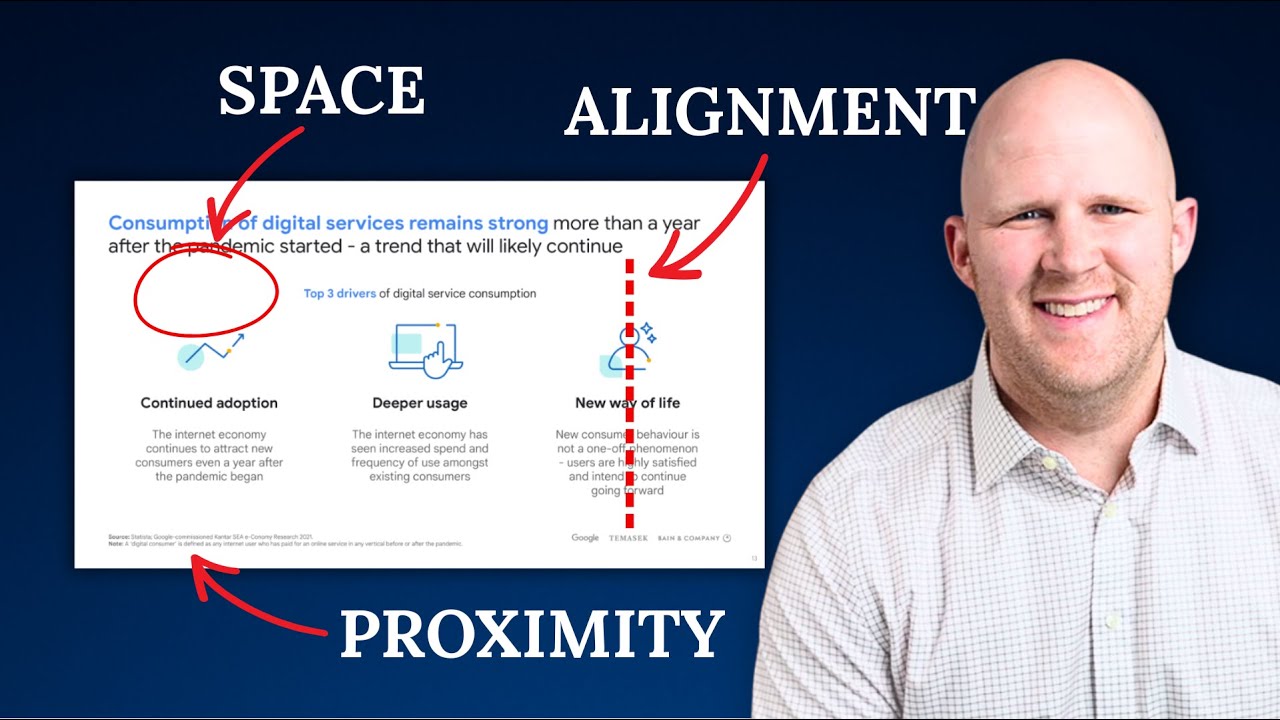
- Create infographics and diagrams to simplify complex data.
- Understand visual hierarchy for effective audience guidance.
- Learn subtle animation techniques for engagement.
Command the Room: Confident Public Speaking with Slides
Let's be honest, even the most beautifully designed slides fall flat if the presenter isn't engaging. This video pivots to the crucial delivery aspect, showing you how to weave your slides into a confident public speaking performance. The key takeaway? Your slides are a supportive tool, not a teleprompter. We'll explore techniques to help you maintain natural eye contact with your audience, fostering a genuine connection rather than just reading off a screen. It's about looking up, looking at people, and building rapport.
You'll also discover strategies for vocal projection and pacing. Developing a strong, clear voice and varying your speed can really make your message more impactful and keep listeners hooked. And because Q&A sessions can sometimes feel like the scariest part, this video offers practical tips on how to handle those questions with poise and confidence. It's about being prepared, listening actively, and providing clear, concise answers. Mastering these delivery skills, alongside your slide design, is what truly makes a presentation memorable.

- Use slides as a visual aid, not a script.
- Develop vocal projection and pacing for impactful delivery.
- Practice techniques for natural eye contact and Q&A confidence.
Data Visualization That Drives Understanding and Impact
Numbers can be powerful, but only if your audience can actually understand them. This video gets deep into the art and science of presenting data in a way that drives real understanding and impact. Choosing the right chart type for your data and your message is absolutely critical, and this tutorial breaks down how to do that effectively. It's not a one-size-fits-all situation, and the creator guides you through making smart choices.
Beyond just picking a chart, the focus here is on designing for clarity. This means minimizing clutter, maximizing readability, and ensuring your audience can grasp key trends and comparisons at a glance. Color is a really interesting tool in this context, and you'll learn how to use it strategically to highlight important insights. But perhaps most importantly, this video emphasizes the narrative. It's about practicing presenting your data with a story, clearly explaining the 'so what?' behind the numbers. Why should your audience care about this data? That’s the crucial question this video helps you answer.
- Select appropriate chart types for your data and message.
- Design charts for maximum clarity and readability.
- Use color strategically to highlight trends and tell a story.
Your Next Steps
By mastering professional slide design, incorporating engaging visuals, and honing your public speaking skills, you can transform your PowerPoint presentations from mundane to magnificent. These YouTube tutorials provide the roadmap to captivating your audience and delivering your message with impact. Start implementing these techniques today and see your presentation confidence soar!
Your Action Items
- ☐Pick one video from above and watch it on Querivo
- ☐Ask questions and check summaries while watching without breaking your flow
- ☐Use the AI chat to clarify confusing parts and deepen understanding
- ☐Come back for more curated videos on topics you want to master
Turn any YouTube video into an interactive lesson. Paste any video link, get an instant AI summary, and ask questions in real-time.
Turn Any YouTube Video into an Interactive Lesson
Paste any video link, get an instant AI summary, and ask questions in real-time.
Try Querivo Free →Related Videos You Might Enjoy
Looking for more perspectives on this topic? Here are some additional videos worth checking out:
![Microsoft PowerPoint - Presentation Tutorial in 13 MINS! [ COMPLETE ]](https://img.youtube.com/vi/DzPhjLPLLeg/maxresdefault.jpg)