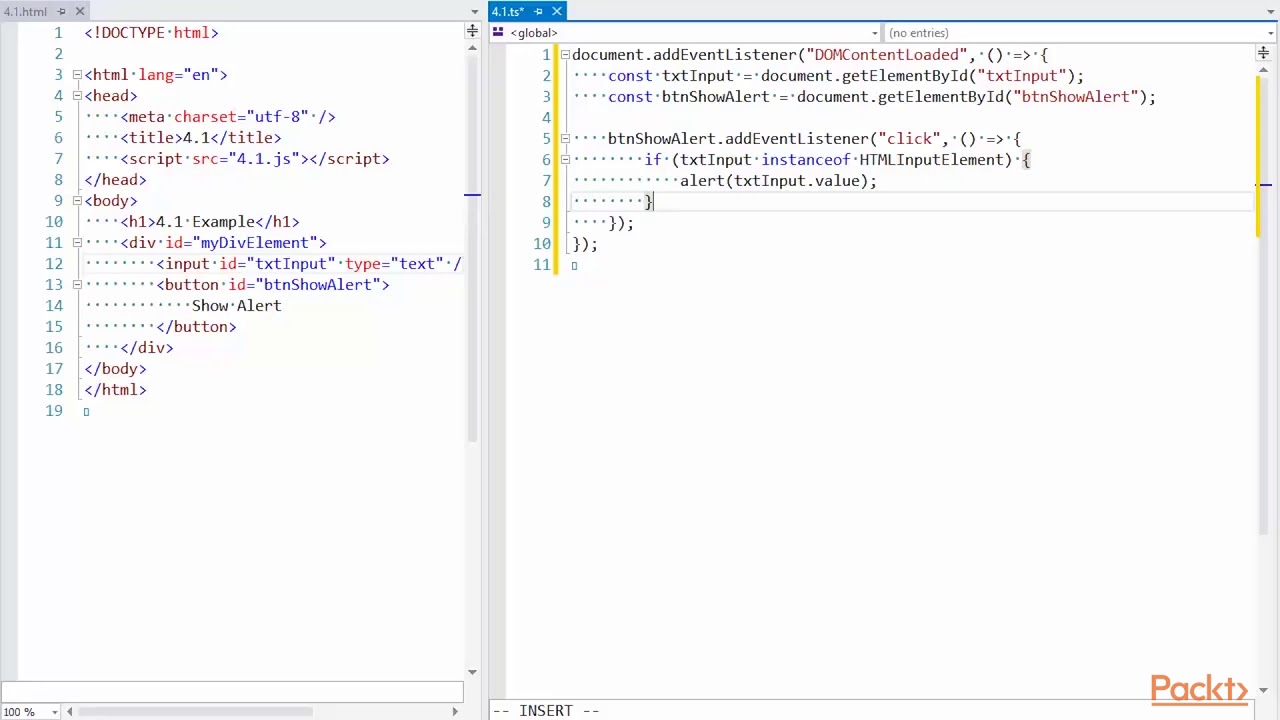
Tired of JavaScript's runtime errors and elusive bugs? Imagine building applications where type safety catches mistakes before they hit production.
Key Takeaways
- 1Your TypeScript YouTube learning journey starts here.
- 2Master environment setup and core type safety.
- 3Unlock advanced features for scalable code.
- 4Apply TypeScript practically in real-world apps.
- 5Build more robust, maintainable JavaScript projects.
Who this is for
- If you're a JavaScript developer wrestling with unexpected errors.
- If you're looking to enhance your web development skills with type safety.
- If you're ready to write cleaner, more reliable code.
Start Learning with AI-Powered Video Summaries
Get instant summaries, ask questions, and turn any video into an interactive study session.
Try Querivo Free →Effortless TypeScript Setup: Get Your Environment Ready in Minutes
Setting up a new development environment can sometimes feel like the hardest part of starting a project. But when it comes to TypeScript, getting started is surprisingly straightforward. This video, "Unlocking the Power of Types: A Beginner’s Guide to TypeScript" by Atchyut_Stark(I am Iron Man), walks you through the essential steps, making sure you're ready to code with confidence from the get-go. We'll cover installing Node.js and npm, initializing your project, and adding TypeScript as a dev dependency. Plus, you'll get a handle on the crucial tsconfig.json file, tailoring it to your specific needs, and discover how to optimize your VS Code experience for seamless TypeScript development. Practical Tip: Don't just copy-paste the tsconfig.json; take a moment to understand the key compiler options like target, module, and strict to truly customize it for your project's requirements.

- Get your TypeScript dev environment set up quickly.
- Learn to configure `tsconfig.json` and VS Code for efficiency.
Unlock Type Safety: Essential TypeScript Concepts for Beginners
Ready to ditch those annoying JavaScript type errors? This video, "Unlocking the Power of Types: A Beginner’s Guide to TypeScript" by Atchyut_Stark(I am Iron Man), is your gateway to understanding the core concepts of TypeScript. It's designed to make the transition from plain JavaScript feel intuitive, immediately showing you the power of type annotations. You'll learn to declare and infer types, work with interfaces to define object shapes clearly, and leverage union and intersection types to create more flexible data structures. Plus, exploring enums will help you manage named constants effectively. It's a pretty solid foundation for anyone new to the language. Practical Tip: When defining interfaces, start with the properties you know will be present and then explore how ? can be used for optional properties to make your data structures more adaptable.
- Grasp basic types, declarations, and inference.
- Understand interfaces, union types, and enums for better code.
Study This Video Deeper
Get an AI summary and ask questions about confusing parts in real-time.
Open in Querivo →Level Up Your Code: Advanced TypeScript for Scalable Applications
Once you've got the basics down, it's time to explore what makes TypeScript really shine for larger projects. This section dives into advanced features that empower you to build more complex, maintainable applications.
The video "Mastering Singleton Design Pattern in TypeScript | Building Robust Applications" by Coding with Thiago is particularly valuable here. It demonstrates how to implement a robust Singleton pattern, a crucial concept for managing unique instances of classes in your applications. Understanding this pattern can help prevent common issues related to object creation and state management. Practical Tip: Consider the different ways to implement the Singleton pattern in TypeScript, such as using module scope or class-based approaches, and evaluate which best suits your project's needs for managing dependencies and global state.
Furthermore, the concepts covered in "Mastering TypeScript Function Interface Overloading: A Complete Guide" by The Debug Zone and "Mastering TypeScript: Abstract Method Overloading Explained with Examples" by The Debug Zone are instrumental. Function and abstract method overloading allow you to define multiple signatures for a single function or class method, enabling greater flexibility and clarity in your code. This is incredibly useful for creating APIs that can be called in various ways, making your code more intuitive for other developers to use. Practical Tip: When using overloading, ensure your return types accurately reflect the possible outcomes based on the overloaded signatures to maintain type safety.


- Master generics, classes, and inheritance for reusable code.
- Learn advanced techniques like decorators and utility types.
Real-World TypeScript: Practical Application and Best Practices
Knowing the theory is one thing, but seeing how TypeScript works in practice is crucial. While specific videos from the provided data don't directly showcase framework integration like React or Vue, the principles of robust application building are universally applicable. The video "Mastering Singleton Design Pattern in TypeScript | Building Robust Applications" by Coding with Thiago, for instance, offers a concrete example of building a well-structured, robust part of an application that can be integrated into any framework. Learning to implement design patterns like the Singleton correctly is a fundamental step towards writing maintainable and scalable code.
Context: In real-world development, applying TypeScript often involves integrating it with existing JavaScript codebases or popular frontend/backend frameworks. This means understanding how to handle type definitions for third-party libraries, setting up build processes, and writing clear, maintainable code that benefits from TypeScript's advantages.
Practical Tip: As you work with TypeScript, consistently aim for the strictest possible compiler settings in your tsconfig.json ("strict": true). This will help you catch more potential errors early in the development cycle, leading to more reliable applications. Refactoring existing JavaScript code to TypeScript is a gradual process; start with critical modules and gradually expand.
Your Next Steps
Your Action Items
- ☐Pick one video from above and watch it on Querivo
- ☐Ask questions and check summaries while watching without breaking your flow
- ☐Use the AI chat to clarify confusing parts and deepen understanding
- ☐Come back for more curated videos on topics you want to master
By following this curated YouTube learning path, you've gained the essential knowledge to confidently set up your TypeScript environment, grasp core and advanced concepts, and apply them effectively in real-world projects. You're now well-equipped to significantly enhance your JavaScript development capabilities, building more reliable and scalable applications. The world of TypeScript YouTube learning is vast, and this is a fantastic starting point.
Turn Any YouTube Video into an Interactive Lesson
Paste any video link, get an instant AI summary, and ask questions in real-time.
Try Querivo Free →Related Videos You Might Enjoy
Looking for more perspectives on this topic? Here are some additional videos worth checking out: