Dreaming of creating eye-catching logos that define brands, but daunted by expensive software and complex design principles? The power of professional logo design is now within your reach, thanks to the wealth of free resources available on YouTube. We've curated a selection of invaluable video tutorials that will guide you from the absolute basics of Adobe Illustrator to the nuances of branding and professional presentation.
Key Takeaways
- 1Master Illustrator logo design with free YouTube tutorials.
- 2Learn foundational vector tools and advanced branding.
- 3Transform your design ideas into scalable graphics.
- 4Gain confidence to create professional logos independently.
- 5Unlock your creative potential for brand identity.
Who this is for
- If you're an aspiring graphic designer looking to build essential skills without breaking the bank
- If you're a small business owner needing a memorable brand identity but have a tight budget
- If you're a freelancer aiming to expand your service offerings into logo creation
Start Learning with AI-Powered Video Summaries
Get instant summaries, ask questions, and turn any video into an interactive study session.
Try Querivo Free →Get Your Illustrator Basics Down for Iconic Logos
Ever felt like Adobe Illustrator's interface is a maze? This video,
, is your compass. It’s a super-quick, 10-minute dive into the absolute essentials of Adobe Illustrator. We found it surprisingly effective for getting a handle on the core tools you'll need for any Illustrator logo design project. You'll quickly grasp what makes vector graphics so special for logos – their ability to scale infinitely without losing quality, which is crucial for designs that need to look great on everything from a business card to a billboard. Plus, this tutorial demonstrates how to create those clean lines and sharp shapes that definitively signal "professional." It’s the perfect starting point if you're new to the software or just need a refresher on the fundamentals. Investing this small amount of time upfront will save you countless hours of frustration later.
- Grasp essential Illustrator tools like the Pen Tool and Shape Tools.
- Understand why vector graphics are crucial for scalable logos.
- Practice creating clean shapes for a professional look.
Study This Video Deeper
Get an AI summary and ask questions about confusing parts in real-time.
Open in Querivo →Brainstorming Your Next Killer Logo Concept
So, you’ve got the tools down. Now, how do you actually come up with a great logo idea? This is where the creative spark meets practical application, and the video
really steps up. It's about more than just knowing how to use the software; it's about the thinking behind the design. We recommend watching this if you tend to struggle with the initial brainstorming phase or feel stuck in a creative rut. You'll get insights into different logo styles – from wordmarks and letterforms to abstract symbols and mascots – and learn how to effectively experiment with layouts directly within Illustrator. This resource is invaluable for developing a strategic approach to logo creation, ensuring your designs are not only aesthetically pleasing but also conceptually strong and aligned with brand objectives. It’s a great way to unlock your creative potential before you even start drawing.
- Learn how to brainstorm and sketch logo ideas effectively.
- Explore various logo styles to find the best fit for a brand.
- Experiment with compositions and layouts in Illustrator.
Perfecting Your Logo with Color and Typography
A logo isn't just a shape; it’s a whole message, and its effectiveness hinges on how well it communicates. Color and typography are your main messengers in this regard. The video
, from Satori Graphics, is a deep dive, approximately 18 minutes long, into these crucial elements. We were impressed by how it breaks down color psychology, explaining how different hues evoke specific emotions and perceptions, and guides you on how to choose palettes that truly resonate with a brand's identity and target audience. Furthermore, it offers solid advice on selecting and manipulating fonts so your logo is both legible and stylish, conveying the right personality. You'll definitely pick up techniques for refining those small details that make a logo truly shine, ensuring balance, harmony, and visual appeal. Seriously, mastering this part elevates any Illustrator logo design from good to unforgettable.
- Understand color psychology and choose impactful palettes.
- Select and effectively use typography for brand style and legibility.
- Learn to refine logo details for optimal balance and appeal.
Study This Video Deeper
Get an AI summary and ask questions about confusing parts in real-time.
Open in Querivo →Professional Polish: Advanced Techniques for Real-World Logos
You've designed a fantastic logo. But what happens next? The video
tackles the essential, often overlooked, final steps in the logo design process. This concise 5-minute tutorial by Shantanu Kumar focuses on taking your design from concept to client-ready reality. We found it incredibly helpful for understanding how to create different logo variations suitable for various platforms – think social media profile pictures, website favicons, large-scale print banners, and embroidery. This adaptability is key for a versatile brand identity. Plus, it walks you through exporting your files correctly in multiple formats (like vector EPS and raster PNG) for different uses, ensuring your clients receive the assets they need. If you're aiming for professional Illustrator logo design that clients will love and that functions flawlessly across all applications, this is a must-watch for mastering presentation and delivery.
- Learn to create versatile logo variations for different applications.
- Understand how to export logos in multiple file formats.
- Get tips for presenting your logo designs professionally.
Your Next Steps
By now, you have a clear understanding of how to leverage these free YouTube tutorials to become proficient in Adobe Illustrator logo design. This curated list provides a solid roadmap, from understanding the foundational tools to mastering advanced branding concepts and professional presentation. The path to creating professional, impactful logos is clearer and more accessible than ever.
Your Action Items
- ☐Pick one video from above and watch it on Querivo
- ☐Ask questions and check summaries while watching without breaking your flow
- ☐Use the AI chat to clarify confusing parts and deepen understanding
- ☐Come back for more curated videos on topics you want to master
Turn Any YouTube Video into an Interactive Lesson
Paste any video link, get an instant AI summary, and ask questions in real-time.
Try Querivo Free →Related Videos You Might Enjoy
Looking for more perspectives on this topic? Here are some additional videos worth checking out:
Adobe Illustrator for Beginners #1 | Free Course
10 MIND BLOWING Logo Design Tips ✍️ 2024
Affinity Tutorial | Logo Design Tutorial Step by Step! 2025
Affinity Tutorial | Logo Design Tutorial Step by Step! 2025
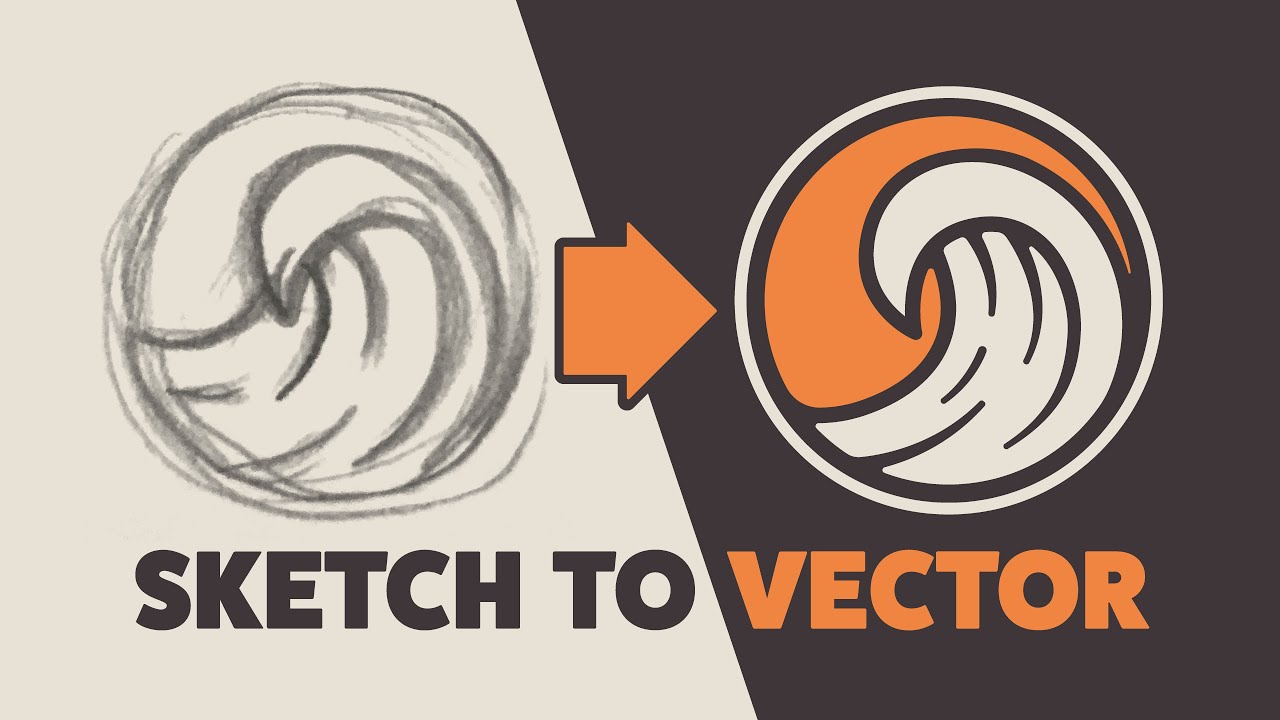
Watch with Querivo →Illustrator Tutorial: Create a Vector Logo from a Rough Sketch
15+ BEST YouTube Channels to Learn Adobe Illustrator for FREE!
This video presents a curated list of over 15 YouTube channels offering free Adobe Illustrator tutorials. The instructor, who has personally learned from these channels, highlights them as valuable resources for mastering Illustrator for various design applications like logos, branding, character design, and print materials.