Dreaming of building interactive websites or diving into the world of programming? Your journey starts with JavaScript, the language that powers the modern web!
Key Takeaways
- 1Your YouTube roadmap to JavaScript fundamentals.
- 2Learn core concepts like variables, data types, and functions.
- 3Master DOM manipulation and asynchronous JavaScript.
- 4Understand JavaScript's unique behaviors like hoisting.
- 5Make websites interactive with event handling.
Who this is for
- If you're an absolute beginner with zero coding experience
- If you're aiming to build dynamic and engaging websites
- If you're looking for a structured way to learn basic JavaScript
Start Learning with AI-Powered Video Summaries
Get instant summaries, ask questions, and turn any video into an interactive study session.
Try Querivo Free →Master JavaScript's Core Building Blocks: Variables, Data Types, and Functions
Getting started with JavaScript can feel like learning a new language, and understanding its fundamental building blocks is absolutely crucial. To kick off your journey, we highly recommend a quick yet impactful introduction. One valuable resource, "Learn JAVASCRIPT in just 5 MINUTES (2020)" by Aaron Jack, offers a super-quick, accessible overview of the absolute essentials. It’s a fantastic starting point for anyone new to coding, aiming to demystify the very first steps.
In this video, you'll learn how to store information using variables with let and const, which is pretty foundational stuff. Plus, you'll get to grips with the different kinds of data JavaScript can handle – think text (strings), numbers, true/false values (booleans), and even collections of items like arrays and objects. And of course, no coding is complete without functions, those reusable blocks of code that make your programs work! For a similarly concise yet comprehensive approach, "JavaScript Tutorial for Beginners - Learn in 15 Minutes ( Crash Course 2025 )" by ITower is also an excellent choice. It provides a thorough crash course for absolute beginners, covering core concepts in a short timeframe, making JavaScript accessible and less intimidating. Finally, "JavaScript tutorial for beginners 🌐" by Bro Code also covers these valuable introductory concepts.
- Grasp the essentials of JavaScript variables (`let`, `const`).
- Understand fundamental data types like strings, numbers, and booleans.
- Learn the basics of functions for reusable code.
From Basics to the Browser: DOM Manipulation and Asynchronous JavaScript
Once you've got a handle on the basics, the next big step is making those fundamentals actually do something on a web page. This is where you'll start to see the power of JavaScript in action. The video "JavaScript Tutorial for Beginners - Learn in 15 Minutes ( Crash Course 2025 )" by ITower dives into how JavaScript interacts with your HTML and CSS, which is essentially how you’ll bring your designs to life. It's where coding starts to feel tangible and interactive.
We'll explore the Document Object Model, or DOM, which is your gateway to selecting and changing elements on a webpage with code. You’ll learn how to dynamically update content, change styles, and respond to user actions. And because not everything happens instantly on the web, you'll also get a peek into asynchronous JavaScript. This covers how to manage tasks that take time, like fetching data from a server, using concepts like callbacks, promises, and async/await. Understanding this is crucial for building modern, responsive web applications that don't freeze while waiting for information.
- Learn to manipulate web page elements using the DOM.
- Understand synchronous versus asynchronous code execution.
- Get an introduction to promises and async/await for handling delays.
Study This Video Deeper
Get an AI summary and ask questions about confusing parts in real-time.
Open in Querivo →Demystifying JavaScript's Quirks: Hoisting and Variable Declarations
JavaScript can sometimes be a bit… quirky. And one of those quirks that often trips up beginners (and even some experienced devs!) is something called hoisting. "How to Learn Javascript in 2023 (From ZERO)" by Andy Sterkowitz aims to shed some light on that, explaining how JavaScript actually processes your code, particularly how variable declarations are handled before your code runs.
Understanding hoisting helps you avoid those head-scratching moments where variables seem to appear out of nowhere or behave unexpectedly. You'll learn the differences in how var, let, and const are treated, which is definitely valuable knowledge for writing cleaner, more predictable JavaScript. It's a deeper dive into how JavaScript works under the hood, and it's worth understanding to prevent common bugs and write more robust code.
- Understand the concept of JavaScript hoisting.
- See how `var`, `let`, and `const` behave differently with hoisting.
- Avoid common errors related to variable declaration order.
Building Dynamic Websites: Event Handling and JavaScript in Action
Want your website to do things when a user clicks a button, hovers over an image, or submits a form? That's where event handling comes in, and the video "JavaScript tutorial for beginners 🌐" by Bro Code is all about making your web pages come alive with user interaction. It's a really practical skill that bridges the gap between static content and engaging user experiences.
In this video, you'll learn how to attach event listeners to your HTML elements, essentially telling your JavaScript code to pay attention to specific user actions. Then, you'll write functions that execute in response to those events, making your website dynamic. This is where you start building those interactive features that users expect today, like toggling menus, validating forms, or creating image carousels. It's definitely a game-changer for web development and a fundamental skill for any aspiring front-end developer.
- Learn to add event listeners to HTML elements for interactivity.
- Write JavaScript functions that respond to user actions.
- Start creating dynamic and engaging user experiences.
Your Next Steps
You've now explored a curated selection of YouTube resources to build a solid foundation in JavaScript, covering essential syntax, core concepts like variables and functions, and practical applications such as DOM manipulation and event handling. This curated list for JavaScript for Beginners YouTube is designed to give you a clear path forward. Each video offers a unique perspective and learning style, allowing you to find what resonates best with you.
Your Action Items
- ☐Pick one video from above and watch it on Querivo
- ☐Ask questions and check summaries while watching without breaking your flow
- ☐Use the AI chat to clarify confusing parts and deepen understanding
- ☐Come back for more curated videos on topics you want to master
Ready to put your new knowledge into practice? Start building your first simple web page with JavaScript today! This roadmap is just the beginning of your journey into the exciting world of web development.
Turn Any YouTube Video into an Interactive Lesson
Paste any video link, get an instant AI summary, and ask questions in real-time.
Try Querivo Free →Related Videos You Might Enjoy
Looking for more perspectives on this topic? Here are some additional videos worth checking out:
100+ JavaScript Concepts you Need to Know
How I Would Learn JavaScript If I Could Start Over
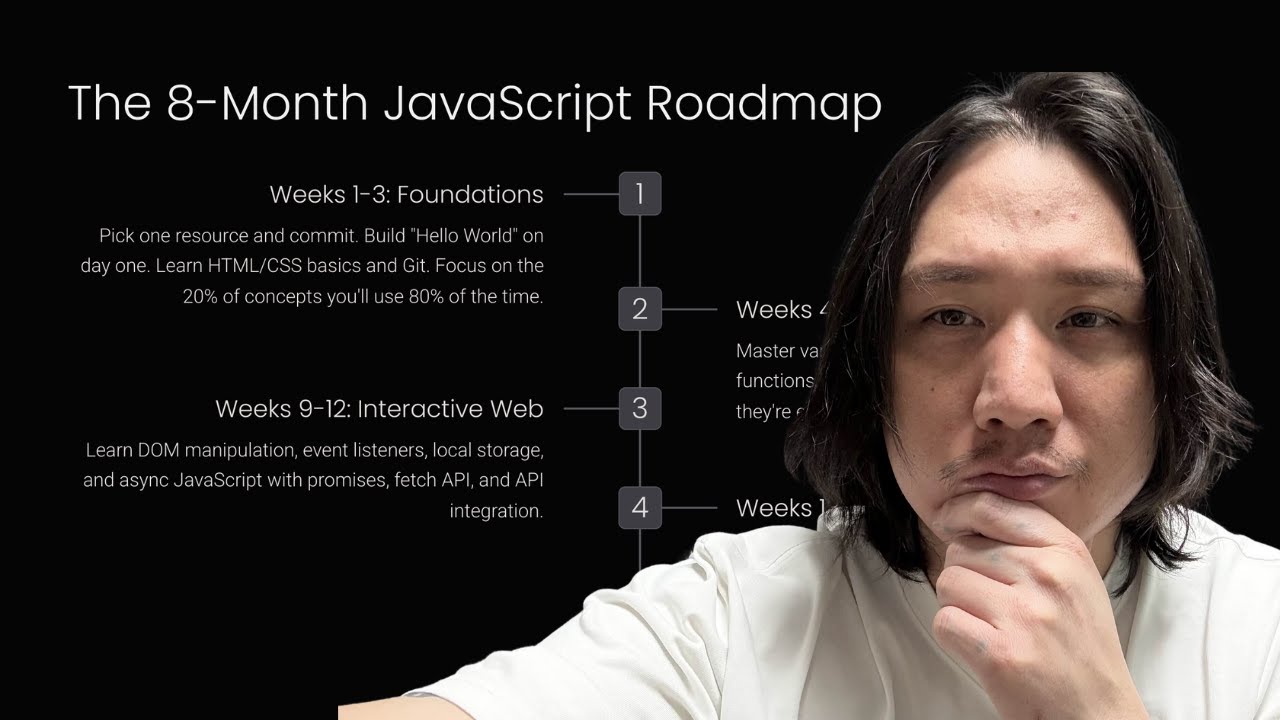
How to Learn JavaScript FAST in 2026
JavaScript explained in just 7 Minutes!
This 7-minute video provides a beginner-friendly introduction to JavaScript, covering essential concepts like variables, data types, and control flow. It then delves into more advanced topics such as DOM manipulation, synchronous vs. asynchronous execution, hoisting, callbacks, promises, and async/await.