Dreaming of creating striking vector graphics that pop off the screen or page? Adobe Illustrator is the industry-standard powerhouse for vector art, and your journey to mastery begins with the right guidance.
Key Takeaways
- 1Master Adobe Illustrator with essential YouTube videos.
- 2Learn over 80 tools and essential shortcuts quickly.
- 3Conquer the Pen Tool for precise, flawless vector shapes.
- 4Discover 30+ secrets to boost your design workflow efficiency.
- 5Set up a personalized Illustrator workspace for beginners.
Who this is for
- If you're struggling to grasp the vast toolset of Adobe Illustrator
- If you're looking to draw clean, professional vector lines and curves
- If you're a beginner graphic designer eager to learn vector illustration techniques
Start Learning with AI-Powered Video Summaries
Get instant summaries, ask questions, and turn any video into an interactive study session.
Try Querivo Free →Master the Illustrator Toolkit: Your 80+ Tool Survival Guide
Feeling a bit lost in the sea of icons within Adobe Illustrator? It's a common hurdle for anyone diving into vector graphics. This video offers a fantastic, high-speed overview, essentially giving you a quick rundown of over 80 different tools and what they actually do. It's not about deep dives into each one, but rather a rapid-fire introduction so you can start recognizing and understanding the purpose of the essentials. You'll pick up on key shortcuts too, which is a real game-changer for efficient design work down the line.
We found this video particularly helpful for demystifying the sheer volume of options available. It breaks down the tools into understandable categories – selection, drawing, type, transformation – making it much less intimidating. If you've ever found yourself staring at the toolbar and wondering, "What on earth is that for?", this is definitely the video you'll want to bookmark. It provides that crucial foundational knowledge to get you moving with confidence, making it a perfect starting point for anyone new to the software.
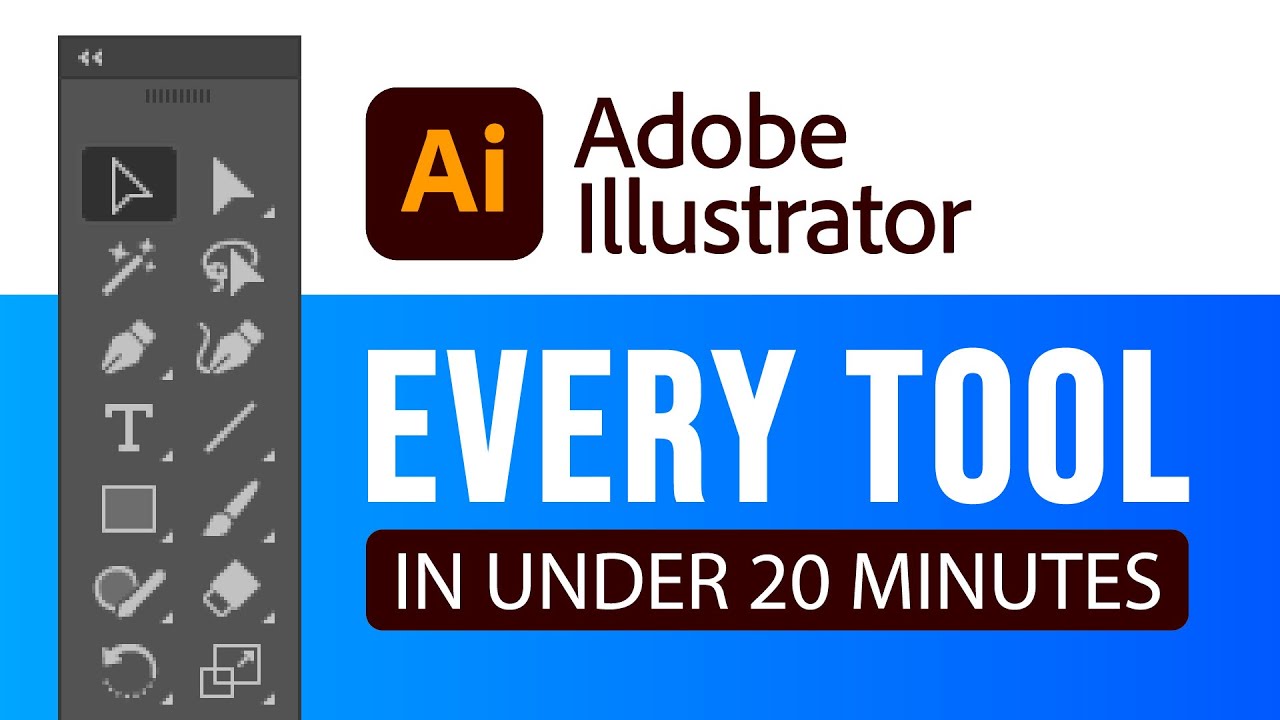
- Get a rapid overview of over 80 Adobe Illustrator tools and their functions.
- Learn essential shortcuts for efficient tool selection and usage.
Unlock Precision: Conquer the Pen Tool for Flawless Vectors
Ah, the Pen Tool. It's probably the most talked-about, and often feared, tool in Adobe Illustrator. Many beginners struggle to get the smooth, precise lines they envision. This video from Andy Tells Things tackles that head-on, showing you how to truly master it, not just use it. It goes beyond basic clicks and drags, integrating companion tools and modifier keys to give you granular control.
You'll learn how to create both crisp straight lines and elegantly flowing curves with remarkable ease. Understanding how to use modifier keys like Shift and Alt is critical here; they aren't just random buttons, they unlock specific functionalities that make drawing feel intuitive. Strategic placement of anchor points and the art of manipulating handles are the secrets to sharp corners and efficient vector creation. This video makes the Pen Tool feel less like a chore and more like a powerful extension of your creative vision.
- Master creating both straight lines and smooth curves with the Pen Tool.
- Utilize modifier keys (Shift, Alt) for constrained movement and anchor point manipulation.
Boost Your Workflow: 30 Illustrator Secrets for Faster Design
Once you've got a handle on the basics, efficiency becomes the next big goal. Anyone creating digital art, especially professionally, knows that time is money. This video delivers exactly that: practical, actionable tips and tricks designed to shave minutes, or even hours, off your design process. It’s packed with little-known shortcuts and smart techniques that can dramatically speed up how you create and edit your artwork.
We were particularly impressed by the focus on editing lines, curves, and applying effects efficiently. It’s not just about drawing; it’s about refining and iterating quickly. Plus, there are tips on optimizing your artboard and document management, which might sound minor, but trust us, it makes a big difference in the long run for a smoother workflow. If you want to spend less time wrestling with the software and more time bringing your ideas to life, this video is definitely worth watching. It’s a collection of genuinely helpful insights that you’ll find yourself coming back to.
- Discover essential shortcuts for shape creation and manipulation.
- Learn efficient methods for editing lines, curves, and applying effects.
Craft Your Perfect Workspace: An Illustrator Setup for Beginners
A cluttered or inefficient workspace can seriously hamper your creative flow. Adobe Illustrator, with its tons of panels and options, can be customized to fit your way of working. This video is an absolute must-watch for beginners looking to get set up right from the start. It guides you through understanding workspaces, arranging panels, and docking them where they make the most sense for your specific needs.
You'll learn how to arrange, dock, and even save your preferred panel layouts. Imagine having your most-used tools and panels right at your fingertips, without having to hunt for them every time you need them. That's the power of a personalized workspace. This video helps you build an environment where Illustrator works for you, not the other way around. Setting this up early can make your entire learning journey smoother and much more enjoyable, leading to a more productive design experience overall.
- Understand the concept and benefits of customizable workspaces in Illustrator.
- Learn to arrange, dock, and save your preferred panel layouts.
Your Next Steps
By leveraging these essential YouTube tutorials, you've gained a solid foundation in Adobe Illustrator's tools, mastered the art of precise vector drawing with the Pen Tool, uncovered time-saving secrets, and learned to optimize your workspace for peak productivity. This curated list is designed to give you a clear, actionable path to creating stunning vector graphics.
Your Action Items
- ☐Pick one video from above and watch it on Querivo
- ☐Ask questions and check summaries while watching without breaking your flow
- ☐Use the AI chat to clarify confusing parts and deepen understanding
- ☐Come back for more curated videos on topics you want to master
Start creating your own stunning vector graphics today – the power of Adobe Illustrator is now within your reach!
Turn Any YouTube Video into an Interactive Lesson
Paste any video link, get an instant AI summary, and ask questions in real-time.
Try Querivo Free →Related Videos You Might Enjoy
Looking for more perspectives on this topic? Here are some additional videos worth checking out:
30 Illustrator Secrets Graphic Designers MUST KNOW!
This video quickly covers 30 essential Adobe Illustrator tips and tricks for graphic designers, designed to save time and reduce frustration. It demonstrates various tools and features for drawing, editing shapes, managing artwork, and applying effects efficiently.