Struggling to keep your code organized and collaborate effectively with your team? Mastering Git and GitHub is no longer optional for developers – it's a fundamental skill that can make or break a project.
Key Takeaways
- 1Learn Git & GitHub essentials for developers.
- 2Master version control for smoother projects.
- 3Unlock collaborative coding with confidence.
- 4Track changes and prevent lost work.
- 5Build robust, team-driven applications.
Who this is for
- If you're tired of losing code or struggling with team updates,
- If you're a new developer needing to understand collaborative workflows,
- If you're looking to build professional coding habits from the start,
Start Learning with AI-Powered Video Summaries
Get instant summaries, ask questions, and turn any video into an interactive study session.
Try Querivo Free →The fast-paced world of software development absolutely demands efficient version control. Systems like Git are your best friend for tracking every little change, saving you from that dreaded data loss, and making teamwork feel less like a battle and more like a symphony. GitHub then takes this powerful local tool and gives it a home in the cloud, offering a centralized place to store your code, manage your projects, and really amp up collaboration.
We've dug through YouTube to find the top tutorials that will get you comfortable with Git and GitHub. These aren't just random videos; they're curated resources designed to guide you from zero to confident version controller. Prepare to transform how you handle your code, whether you're flying solo or working with a whole team. This guide will show you the best git github for developers youtube has to offer.
Grasp GitHub's Purpose and Core Concepts for Seamless Code Management
Ever felt like your code is a tangled mess, or wondered how multiple people work on the same project without stepping on each other's toes? This video dives straight into the heart of GitHub, explaining exactly why it's so vital for pretty much any software project these days. It breaks down the big ideas like repositories (your code's home base), branches (where you can experiment safely), and pull requests (how you get your brilliant ideas merged into the main project). If you're a complete beginner, this is a fantastic starting point to get the lay of the land.

- GitHub is your central cloud hub for code.
- Branches let you work on features without affecting the main code.
Demystify Git and GitHub: Your Local Time Machine and Collaborative Hub
This tutorial really nails the distinction between Git, the powerful tool that lives on your computer, and GitHub, the slick platform that hosts your code online. Think of Git as your personal 'time machine' for your code – you can rewind to any previous save point. Then, GitHub acts as the shared garage where everyone parks their cars (code) and coordinates their trips. It walks you through the typical workflow: make a change, save it (commit), propose it to the team (pull request), and get it merged. Plus, it even gives you a peek at how those new AI coding assistants are fitting into this workflow, which is pretty cool. Understanding the difference between Git and GitHub is a huge step in learning Git basics.

- Git controls code locally; GitHub hosts it remotely.
- The standard workflow involves branching, committing, and pull requests.
Kickstart Your Version Control Journey with GitHub Desktop
Sometimes, diving into the command line can feel a bit intimidating, right? This video offers a much friendlier entry point by focusing on GitHub Desktop. It's a super user-friendly interface that makes saving versions of your project, jumping back to an older state, and trying out new features on separate branches incredibly simple. You'll learn how to get set up with an account, download the desktop app, and start your first local repository. Having an online backup via GitHub is also a game-changer for peace of mind and for syncing your work across different machines. It’s a really solid way to ease into GitHub tutorial for beginners.
Study This Video Deeper
Get an AI summary and ask questions about confusing parts in real-time.
Open in Querivo →- GitHub Desktop simplifies Git and GitHub for beginners.
- Learn to save project states (commits) and sync online.
Master Git Fundamentals and Connect to GitHub with Ease
This video gets straight to the point about what Git actually is and how it works. It uses that helpful "time machine" analogy again to explain how Git tracks your project's history. But then, it gets practical, showing you the essential commands you'll use constantly: init to start tracking a project, add to prepare your changes, and commit to save them. You'll also understand the concept of the staging area – a crucial step before committing. Crucially, it guides you through connecting your local Git setup to your GitHub account, which is key for sharing and remote storage. This is a must-watch for anyone needing to learn Git basics and understand how it all connects to GitHub.

- Git is your local project history tracker.
- `init`, `add`, and `commit` are your foundational Git commands.
Your Next Steps
You've now explored some of the most essential YouTube tutorials to confidently start using Git and GitHub for version control and collaborative coding. From grasping the core concepts to practically implementing them with user-friendly tools, you're definitely equipped to manage your code more effectively. Don't just watch – start doing!
Your Action Items
- ☐Pick one video from above and watch it on Querivo
- ☐Ask questions and check summaries while watching without breaking your flow
- ☐Use the AI chat to clarify confusing parts and deepen understanding
- ☐Come back for more curated videos on topics you want to master
Starting your Git and GitHub journey today by watching these featured videos and practicing the commands is the best way to solidify your new skills. Remember, the journey to mastering version control is ongoing, but these resources provide a brilliant launchpad for any developer.
Turn Any YouTube Video into an Interactive Lesson
Paste any video link, get an instant AI summary, and ask questions in real-time.
Try Querivo Free →Related Videos You Might Enjoy
Looking for more perspectives on this topic? Here are some additional videos worth checking out:
Git and Github Explained in 7 Minutes | Git and Github Tutorial (2025)
This video explains Git as a local version control tool for tracking project changes and GitHub as an online platform for storing, sharing, and collaborating on projects. It uses a practical story to demonstrate essential Git commands like init, status, add, commit, branch, checkout, merge, push, and pull, along with setting up remote repositories on GitHub.
Master GIT & GITHUB in easy way
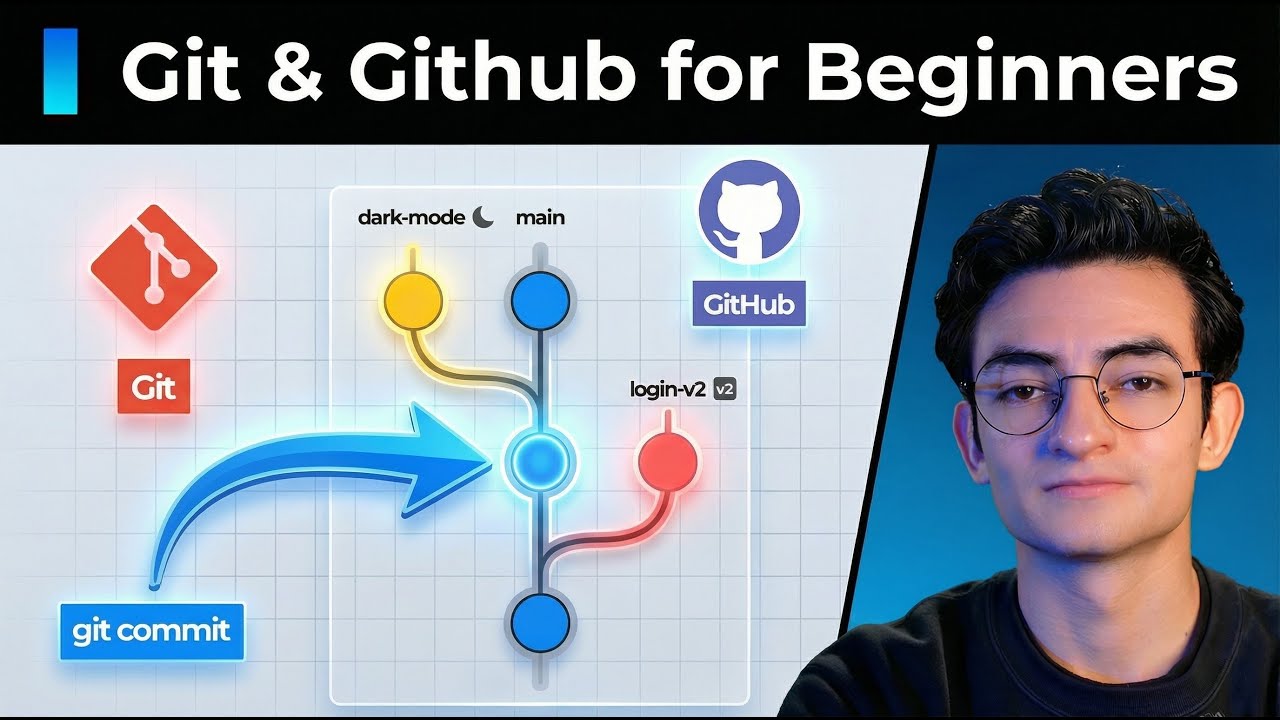
This video provides an easy-to-understand introduction to Git and GitHub, covering essential concepts like version control, tracking changes, and collaborating on projects. It guides viewers through basic Git commands and how to connect their local projects to GitHub for online storage and sharing.
How to use GIT when working with a team?
This video demonstrates a practical Git workflow for team collaboration, focusing on creating branches for specific tasks, making commits, pushing changes, and resolving merge conflicts through pull requests. It guides viewers through the process of taking a task from a Kanban board, implementing changes on a separate branch, and integrating them back into the main codebase.
Using Git with Visual Studio Code (Official Beginner Tutorial)
This tutorial provides a beginner-friendly introduction to using Git and GitHub within Visual Studio Code. It covers initializing a repository, managing branches, staging and committing changes, and publishing to GitHub, as well as cloning existing repositories.
Using Git & GitHub in VSCode: Stage, Commit, and Push
This video demonstrates how to effectively use Git and GitHub within Visual Studio Code. It covers initializing a Git repository, publishing it to GitHub, and performing essential version control operations like staging, committing, and pushing code changes.