Mastering financial modeling is no longer an option; it's a necessity for finance professionals. But where do you start with the overwhelming power of Excel?
Key Takeaways
- 1Your ultimate guide to essential Excel for finance YouTube videos.
- 2Learn crucial functions for accurate financial modeling.
- 3Discover efficient data analysis and visualization techniques.
- 4Build dynamic and responsive financial models with confidence.
- 5Elevate your financial analysis and reporting skills.
Who this is for
- If you're a finance professional struggling to build complex models,
- If you're an accounting student needing to master Excel's analytical tools,
- If you're a business analyst looking to improve your data interpretation,
Start Learning with AI-Powered Video Summaries
Get instant summaries, ask questions, and turn any video into an interactive study session.
Try Querivo Free →Build Your Financial Modeling Foundation with Essential Excel Functions
Understanding the core Excel functions is your first step toward building robust financial models. This video from Kenji Explains dives into the formulas that are absolutely critical for anyone working with numbers in Excel, especially in finance. You'll get a clear overview of how to summarize data, apply conditional logic, and pull information efficiently. It's a foundational piece that really sets you up for success.
We're talking about getting comfortable with aggregation functions like SUM, MAX, and AVERAGE. But it goes beyond that. You'll learn to use SUMIFS, which is super handy for summing data based on specific criteria – a common need in financial analysis. Plus, mastering logical functions such as IF, AND, and OR is key to creating models that can make decisions or respond to different scenarios. And of course, no financial model is complete without efficient lookups.
This video tackles the essential lookup functions, too. Whether it's XLOOKUP, VLOOKUP, or the powerful INDEX/MATCH combination, these are your go-to tools for linking data across spreadsheets and making your models dynamic. It's a pretty solid introduction that covers a lot of ground without getting too bogged down. Seriously, if you're starting out with Excel for finance, you’ve got to get these functions down.

- Master essential aggregation and conditional functions.
- Learn to apply logical functions for dynamic modeling.
- Understand key lookup functions for data retrieval.
Study This Video Deeper
Get an AI summary and ask questions about confusing parts in real-time.
Open in Querivo →Streamline Your Finance & Accounting Work with Smart Excel Techniques
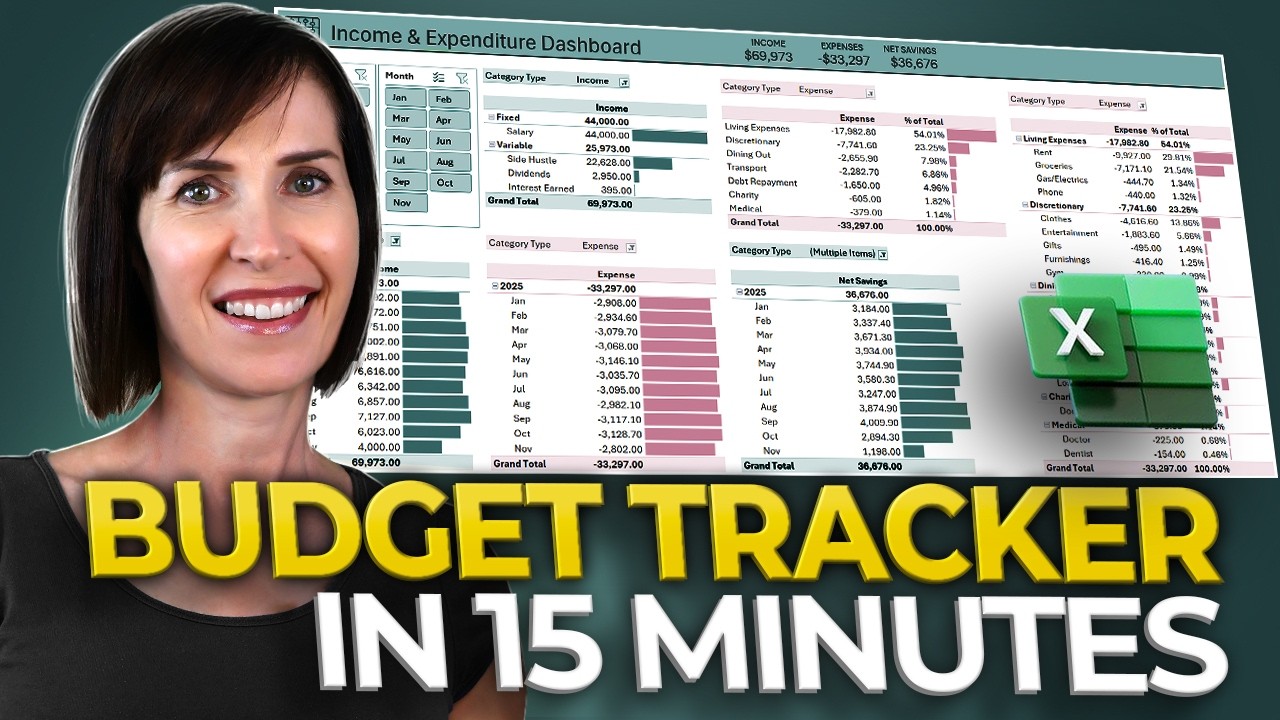
Efficiency is everything when you're dealing with finance and accounting tasks in Excel. This video from MyOnlineTrainingHub focuses on practical tips and tricks that can save you a ton of time. It’s not just about knowing formulas; it’s about knowing how to use Excel smartly. You'll discover ways to consolidate data from multiple sources and quickly analyze what you’re looking at, which is a game-changer for busy professionals.
One of the standout techniques shown here is 3D referencing for data consolidation. Imagine pulling data from a dozen different monthly reports into one master file – this video shows you how to do it effortlessly. Plus, the Quick Analysis tool is explored, a feature that’s surprisingly powerful for getting instant summaries and basic charts without a lot of manual effort. It’s these kinds of shortcuts that really boost your productivity.
And yes, it revisits SUMIF and SUMIFS for those times you need to sum up specific subsets of financial data. It also touches on how to use Excel's charting capabilities to spot trends, which is pretty crucial for any kind of forecasting or reporting. If you want to work faster and smarter in Excel for your finance or accounting roles, this is definitely worth watching.
- Consolidate data from multiple spreadsheets using 3D referencing.
- Utilize the Quick Analysis tool for rapid data insights.
- Apply conditional summing for targeted financial data analysis.
Advanced Lookup and Matching for Dynamic Financial Models
Once you've grasped the basics of lookup functions, it's time to dive deeper. This video from Kenji Explains explores the more advanced aspects of lookup and matching in Excel, which are absolutely vital for building truly dynamic and responsive financial models. When your models need to pull data from various sources accurately and reliably, these techniques are your best friends. You'll learn how to ensure data integrity and create models that can adapt to changing inputs.
The focus here is on XLOOKUP, which is often considered a more modern and user-friendly alternative to VLOOKUP. But it also delves into the incredibly flexible INDEX and MATCH combination. Understanding how these work together gives you immense power to create lookups that are not only robust but also adaptable to changes in your spreadsheet layout. This is super important for long-term model maintenance.
Handling common lookup errors is also covered, which is a practical necessity. Nobody wants a model full of #N/A errors! By mastering these advanced lookup and matching functions, you can seamlessly link different parts of your financial model, create dynamic scenario analysis, and ensure that your data is always pulling through correctly. It's a crucial step for taking your modeling skills to the next level.

- Master XLOOKUP and the INDEX/MATCH combination.
- Learn to handle common lookup errors effectively.
- Build dynamic scenarios by linking data seamlessly.
Unlock Powerful Data Analysis & Forecasting with Excel Charts
Visualizing your financial data is just as important as calculating it. This video from Leila Gharani, focusing on Excel for accounting, shows you how to leverage charting and forecasting tools to tell a clear story with your numbers. You’ll learn to create compelling charts that don't just look good but also communicate complex financial insights effectively. This is key for making your reports and presentations impactful.
The creator demonstrates how to implement trendlines to clearly visualize historical performance and identify patterns. This is absolutely critical for understanding where your finances have been, which is a prerequisite for understanding where they might go. Furthermore, the video explores Excel's built-in forecasting tools, enabling you to project future financial outcomes with a reasonable degree of confidence, based on the data you feed it.
By mastering these charting and forecasting techniques, you'll be able to enhance your financial reports significantly. You can move beyond simple tables of numbers and present data in a way that’s easier to understand and act upon. For anyone in finance or accounting who needs to present findings, this video on Excel for finance YouTube content is a must-watch. It really brings your data to life.
- Create visually compelling financial charts for data communication.
- Implement trendlines to visualize historical performance.
- Utilize Excel's forecasting tools for predicting future outcomes.
Your Next Steps
By mastering these essential Excel functions and techniques, you'll be well-equipped to build more accurate, dynamic, and insightful financial models. This curated learning path provides the foundational knowledge and practical skills needed to excel in financial analysis and reporting.
Your Action Items
- ☐Pick one video from above and watch it on Querivo
- ☐Ask questions and check summaries while watching without breaking your flow
- ☐Use the AI chat to clarify confusing parts and deepen understanding
- ☐Come back for more curated videos on topics you want to master
Start implementing these Excel for finance strategies today and transform your financial modeling capabilities.
Turn Any YouTube Video into an Interactive Lesson
Paste any video link, get an instant AI summary, and ask questions in real-time.
Try Querivo Free →Related Videos You Might Enjoy
Looking for more perspectives on this topic? Here are some additional videos worth checking out:
Learn Excel Essentials in Just 15 Minutes

Excel for Finance - 25 Functions You NEED to KNOW (File Included)
This video tutorial covers 25 essential Excel functions for financial modeling and general use, focusing on aggregation, conditional logic, and lookup functions. It provides practical examples and emphasizes efficiency for data analysis.