Ready to build the next big thing on the web? The demand for dynamic, interactive web applications is soaring, and mastering React.js is your key to unlocking this exciting field. But where do you even begin with all the resources out there?
Key Takeaways
- 1Your essential guide to top React JS YouTube tutorials.
- 2Learn to set up your first dynamic web project.
- 3Understand the crucial difference between static and dynamic apps.
- 4Master core React concepts for building interactive UIs.
- 5Unlock advanced patterns for sophisticated web development.
Who this is for
- If you're struggling to get your React development environment set up.
- If you're confused about the core differences between static and dynamic websites.
- If you're a beginner or intermediate developer looking to solidify your React.js skills for dynamic app creation.
Start Learning with AI-Powered Video Summaries
Get instant summaries, ask questions, and turn any video into an interactive study session.
Try Querivo Free →Get Your Dynamic Web Development Journey Started Right
Setting up your development environment can sometimes feel like the biggest hurdle when starting a new project. This video breaks down how to get your workspace ready for dynamic web development, making that initial setup a whole lot less intimidating. It’s about getting you from zero to a functioning project, which is pretty crucial, right?
The creator guides you through essential steps, like configuring an IDE and getting a server up and running. This isn't just theory; it's about the practicalities that allow you to start coding and see your ideas come to life. We’ll cover the initial setup, getting Apache Tomcat configured, and deploying your very first dynamic web project. Plus, there are tips for troubleshooting common issues, so you won't get stuck spinning your wheels. Knowing how to properly configure your environment means you can start building and iterating faster, which is a huge advantage in web development.
- Setting up your development environment is a key first step.
- Follow practical guidance to deploy your initial dynamic web project.
Study This Video Deeper
Get an AI summary and ask questions about confusing parts in real-time.
Open in Querivo →Grasping the Foundation: Static vs. Dynamic for React
Before you dive headfirst into building complex React applications, it’s incredibly beneficial to really understand what makes a web app "dynamic." This video tackles the core differences between static and dynamic websites, a concept that underpins much of how we build modern web experiences. Knowing this distinction will definitely inform your decisions when architecting your React projects.
You'll explore how static pages are pre-built and served as they are, while dynamic pages are generated on the fly. This has significant implications for performance, SEO, and even security. The instructor clearly outlines the pros and cons, helping you understand when each approach is best. For anyone aiming to build robust React applications, grasping server-side versus client-side rendering is fundamental. This knowledge is paramount because it directly impacts user experience, how efficiently your application runs, and how easily search engines can index your content. Understanding these differences empowers you to choose the right tools and strategies for your specific project needs.
- Understand the core differences between static and dynamic websites.
- Learn how rendering approaches impact your web application's performance and SEO.
Building Blocks of Interactivity: Mastering React Fundamentals
Now, let's get to the heart of building dynamic user interfaces: React itself. This tutorial is a fantastic resource for understanding the foundational elements of React, focusing on how to create reusable and interactive components. It’s where you’ll truly start to see how dynamic UIs are constructed piece by piece.
You'll get to grips with JSX, the syntax extension that makes writing React components feel more intuitive, and learn about the power of component-based architecture. Managing component state and props is crucial for making your components react to user input and data changes. Plus, implementing event handling shows you how to make your applications responsive to user actions. This is a must-watch for building a solid base in React development. By mastering these core concepts, you'll be able to build UIs that are not only visually appealing but also highly functional and engaging for your users.
- Grasp the fundamentals of JSX and React's component-based structure.
- Learn to manage state and props to create interactive UI elements.
Elevating Your Apps: Advanced React Patterns for Dynamic Experiences
Once you've got the fundamentals down, it's time to look at how to build more sophisticated and efficient dynamic web applications with React. This video delves into advanced patterns that are absolutely essential for scaling your projects and ensuring they perform at their best. It’s about moving beyond basic component building to architecting robust solutions.
You’ll explore techniques for handling state management in complex applications – something that can quickly become a challenge. Implementing routing for navigation between different "pages" within your single-page application is also covered, creating a more seamless user experience. Optimizing component rendering is key to keeping your app snappy, and this tutorial touches on those important performance considerations. Seriously, mastering these advanced patterns is a game-changer for serious React developers, enabling you to build applications that are not only feature-rich but also highly performant and maintainable as they grow.
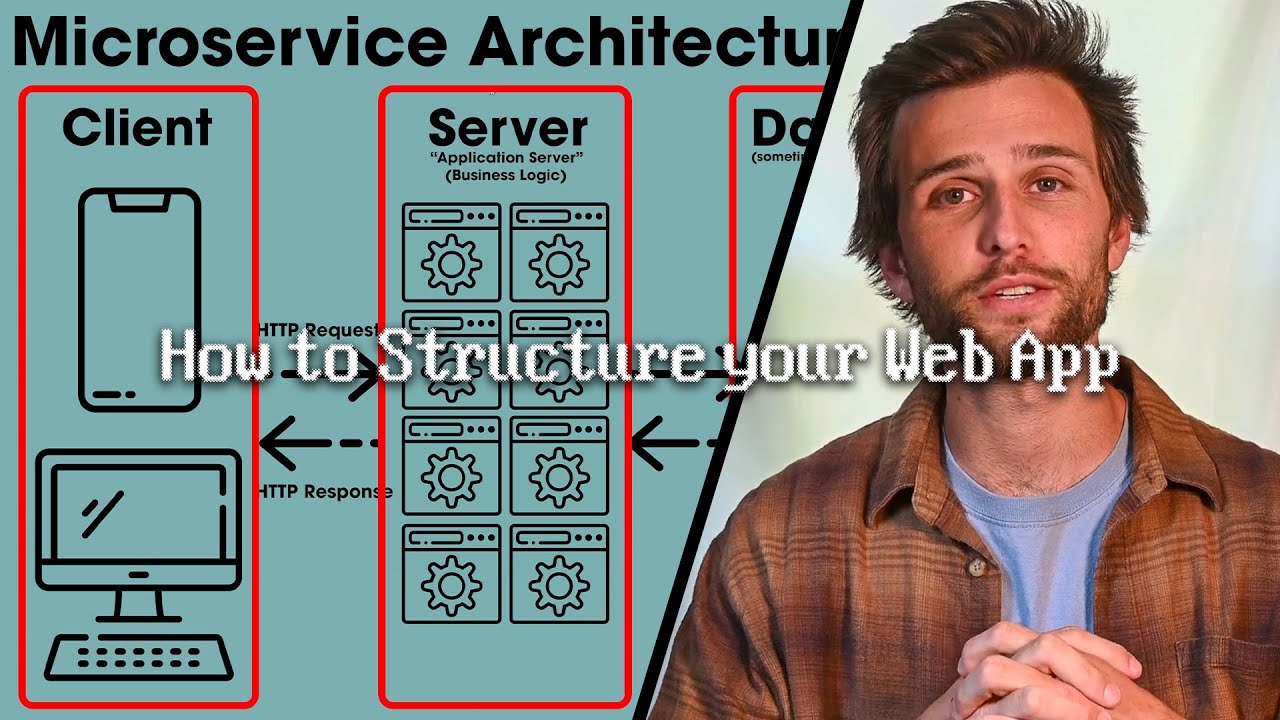
- Explore strategies for efficient state management in complex React apps.
- Learn techniques for optimizing component rendering and building scalable projects.
Your Next Steps
Ready to transform how you learn web development? These curated JavaScript for React tutorials on YouTube offer a fantastic path to mastering dynamic web app creation. By combining foundational knowledge with practical coding, you're well on your way to building impressive user experiences.
Your Action Items
- ☐Pick one video from above and watch it on Querivo
- ☐Ask questions and check summaries while watching without breaking your flow
- ☐Use the AI chat to clarify confusing parts and deepen understanding
- ☐Come back for more curated videos on topics you want to master
These resources provide a solid foundation and advanced insights, making them invaluable for anyone looking to excel in frontend development. Keep practicing, keep building, and don't hesitate to dive deeper into the concepts that resonate with you.
Turn Any YouTube Video into an Interactive Lesson
Paste any video link, get an instant AI summary, and ask questions in real-time.
Try Querivo Free →Related Videos You Might Enjoy
Looking for more perspectives on this topic? Here are some additional videos worth checking out:
The Smart Way to Build Websites
How to create First Dynamic Web Project in Eclipse with Tomcat server | Online tuts
This video provides a step-by-step guide on how to create a dynamic web project in Eclipse IDE with Tomcat server. It covers troubleshooting common issues like the dynamic web project option not appearing and demonstrates the installation of necessary plugins and the Tomcat server.