Tired of manually updating your Google Sheets and drowning in data entry? Imagine your spreadsheets working for you, automating repetitive tasks, and freeing up your valuable time. That future is closer than you think.
Key Takeaways
- 1Master Google Sheets automation with curated video guides.
- 2Learn to organize, filter, and protect your data efficiently.
- 3Unlock the power of Apps Script for custom workflows.
- 4Transform spreadsheets into dynamic, time-saving tools.
- 5Boost productivity and gain deeper data insights.
Who this is for
- If you're tired of tedious data entry and manual updates
- If you're looking to streamline your workflow and save time
- If you're ready to explore the power of Google Apps Script
Start Learning with AI-Powered Video Summaries
Get instant summaries, ask questions, and turn any video into an interactive study session.
Try Querivo Free →Streamline Your Data: Instant Clarity with Better Formatting
Manual data entry and messy spreadsheets can be a real productivity killer. The video "Top 5 Google Sheets Tips for Sales Pros: Automate, Organize, and Boost Productivity in 2025" by Bardeen offers a fantastic starting point, showing you how to take raw data and make it instantly understandable. You'll learn to transform your information into structured, dynamic tables that are a joy to analyze. This valuable content emphasizes practical tips like consistently applying professional date formats and using text-to-columns to effortlessly organize text data. Plus, it highlights the power of conditional formatting – a game-changer for visually highlighting key trends and important figures. This foundational knowledge is crucial before diving into more complex automation, helping you to organize and boost productivity effectively.

- Transform raw data into organized, dynamic tables.
- Implement consistent date formatting and use text-to-columns.
Study This Video Deeper
Get an AI summary and ask questions about confusing parts in real-time.
Open in Querivo →Unlock Smarter Insights with Advanced Filtering and Grouping
Got a massive spreadsheet and need to find specific information fast? The video "Top 5 Google Sheets Tips for Sales Pros: Automate, Organize, and Boost Productivity in 2025" by Bardeen dives deep into the power of advanced filtering and grouping. You'll move beyond basic filtering to truly isolate the exact data points you need. This valuable content also teaches you how to create grouped views, which let you collapse and expand sections of your data, making large datasets much more readable. These techniques are incredibly useful for efficient project management and generating focused reports, helping you cut through the noise and concentrate on what truly matters. This tutorial is essential for anyone looking to organize and gain deeper insights from their data.
- Master advanced filtering to pinpoint specific data.
- Create grouped views for better readability and summary.
Secure Your Sensitive Data: Protecting Crucial Columns
When working in a team or handling important information, data integrity is everything. Accidentally overwriting critical data can cause major headaches. The video "Top 5 Google Sheets Tips for Sales Pros: Automate, Organize, and Boost Productivity in 2025" by Bardeen shows you exactly how to protect specific columns in your Google Sheets. It’s a straightforward process that makes a huge difference in maintaining accuracy, especially in collaborative environments. Understanding how to restrict editing access to certain columns is a must-have skill for any serious spreadsheet user who wants to keep their vital data safe and sound. This practical tip from the creator is surprisingly simple but incredibly effective for data security.
- Learn to protect critical data from accidental edits.
- Implement column protection for enhanced data integrity.
Automate Beyond the Basics: Harnessing AI and External Tools
Ready to take your Google Sheets automation to the next level? This section explores how to leverage cutting-edge tools and custom scripts for advanced automation.
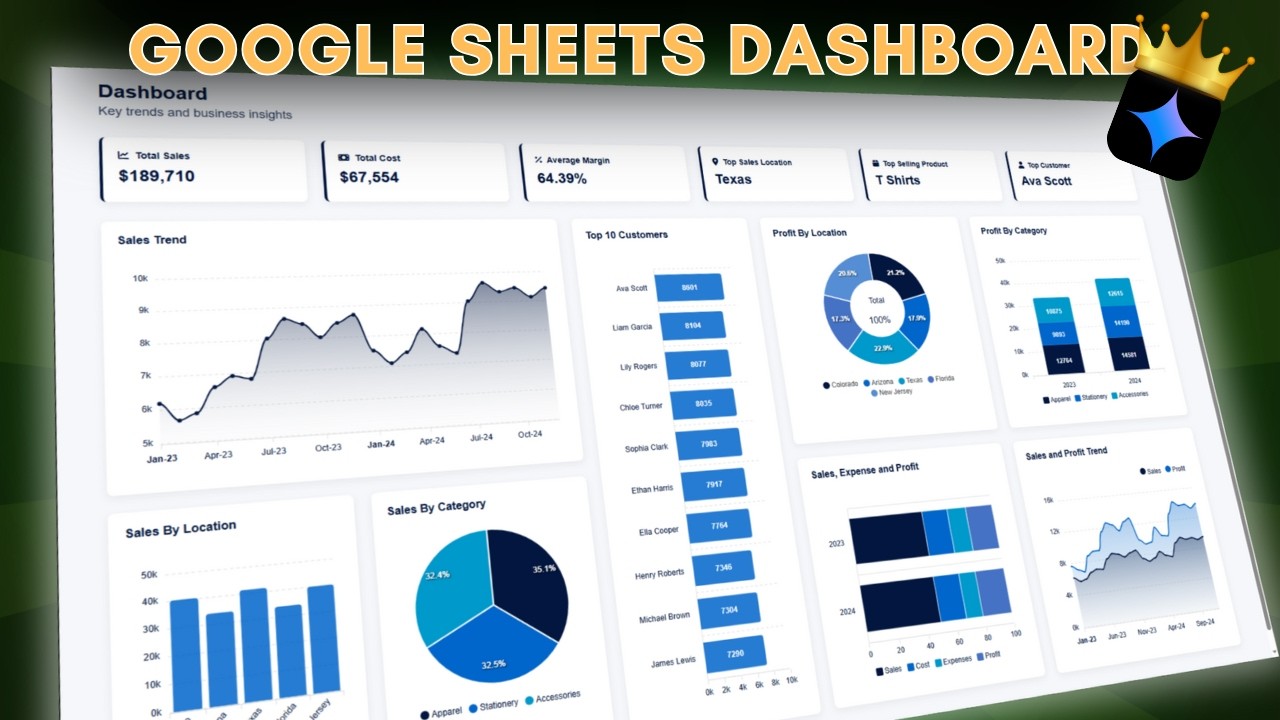
The video "How To Use Google Gemini To Create a Google Sheets Dashboard" by AIC Certified Accountants demonstrates the power of AI in creating dynamic dashboards directly from your Google Sheets. This valuable content shows you how to integrate Google Gemini to generate insightful visualizations, transforming your raw data into an easily digestible format. It's a fantastic way to unlock smarter insights and understand your data at a glance, boosting your reporting capabilities significantly.
For those looking to build entire applications from their spreadsheets, the video "Build an App from Google Sheets in Under 20 Minutes" by Automation Helpers provides a clear, step-by-step guide. This resource is incredibly valuable for viewers who want to move beyond basic automation and create functional applications without extensive coding knowledge. It highlights how your Google Sheets can become the backend for powerful, custom tools.
Finally, the "Ultimate Make.com Tutorial 2026 (Automate Google Sheets + Other Apps)" by Stewart Gauld introduces robust automation possibilities by connecting Google Sheets with a vast array of other applications. This tutorial is essential for anyone aiming to create complex, multi-app workflows. It showcases how to automate data transfers, trigger actions across different platforms, and streamline your entire digital ecosystem, making your Google Sheets a central hub for automated processes.

- Integrate AI like Google Gemini for powerful dashboard creation.
- Learn to build functional applications directly from your Google Sheets.
- Connect Google Sheets to other apps for advanced workflow automation.
Your Next Steps
This curated list of YouTube tutorials provides a solid roadmap for mastering Google Sheets automation. From making your data instantly clear and understandable with tips from Bardeen, to leveraging AI with AIC Certified Accountants, building apps with Automation Helpers, and orchestrating complex workflows with Stewart Gauld, you've got the resources to significantly boost your productivity. By integrating these practical tips and automation techniques, you can transform your Google Sheets from static documents into dynamic, efficient powerhouses. It’s about making your spreadsheets work harder for you, not the other way around.
Your Action Items
- ☐Watch the Bardeen video for essential formatting and data organization tips.
- ☐Explore how AIC Certified Accountants uses Google Gemini for insightful dashboards.
- ☐See how Automation Helpers can help you build an app from your sheet.
- ☐Dive into Stewart Gauld's tutorial to connect Google Sheets with other applications.
- ☐Apply the learned techniques to your own spreadsheets to save time and reduce errors.
Turn Any YouTube Video into an Interactive Lesson
Paste any video link, get an instant AI summary, and ask questions in real-time.
Try Querivo Free →Related Videos You Might Enjoy
Looking for more perspectives on this topic? Here are some additional videos worth checking out:
QUERY Function in Google Sheets - 2025 Tutorial ✏️

10 INCREDIBLE things Google Sheets can do Right Now!

Google Apps Script for Beginners: Start Automating Google Sheets
Apps Script Basics - Google Sheets for Beginners 2025 [7/7]
![Apps Script Basics - Google Sheets for Beginners 2025 [7/7]](https://img.youtube.com/vi/gxyAgAjr7_Q/maxresdefault.jpg)
Automate Google Sheets with Zapier: Step-by-Step Tutorial
How to Create a Dashboard in Google Sheets in 5 Minutes - 2025 Edition 📈

Google Sheet Tips You Need to Know in 2025
This video provides a series of practical Google Sheets tips for 2025, demonstrating how to convert data into tables, format dates, split text, apply conditional formatting, use advanced filtering, create grouped views, protect columns, manage file chips, and generate timelines for project management.