Tired of spending hours on repetitive tasks in Google Sheets? Imagine reclaiming that time and boosting your productivity with smart automation.
Key Takeaways
- 1Unlock Google Sheets automation with top YouTube tutorials.
- 2Master formulas, scripts, and AI tools for efficiency.
- 3Streamline data entry and create dynamic dashboards.
- 4Learn to automate repetitive tasks effortlessly.
- 5Boost your productivity and work smarter.
Who this is for
- If you're bogged down by manual data entry and repetitive tasks in Google Sheets
- If you're looking to leverage powerful scripting and no-code tools to save time
- If you're a business user or data professional aiming to enhance efficiency and reporting
Start Learning with AI-Powered Video Summaries
Get instant summaries, ask questions, and turn any video into an interactive study session.
Try Querivo Free →Unlock Google Sheets Automation with Beginner-Friendly Apps Script
Spending too much time on manual updates within Google Sheets? This video is your entry point into making Sheets work for you. It introduces Google Apps Script, a seriously powerful tool for automating tasks across your Google Workspace. You'll see how to write a simple script to automatically insert the current date – a small change that can save heaps of time over weeks and months. But it doesn't stop there. The creator walks you through different ways to actually run these scripts, from simple time-based triggers to custom menus and handy buttons right inside your spreadsheet.
This isn't about becoming a full-stack developer overnight. It's about understanding the foundational steps to automate those annoying, repetitive jobs. If you've ever thought, "There has to be a better way to do this in Sheets," this tutorial is definitely worth checking out. It’s surprisingly accessible, even if you’re new to coding.
- Google Apps Script offers powerful automation for Google Sheets.
- Learn to trigger scripts with time-based events, custom menus, and buttons.
Streamline Data Entry: Automate Google Forms to Sheets with Make.com
Wouldn't it be great if your Google Forms submissions automatically populated your Google Sheets without you lifting a finger? This video shows you exactly how to do that. It dives into using Make.com, a fantastic no-code platform, to build these workflows. You'll discover how to set up scenarios where every time someone fills out a Google Form, the information is instantly added as a new row in your chosen spreadsheet. Pretty neat, right?
But the automation doesn't just flow one way. The tutorial also demonstrates how you can trigger actions from your Google Sheet. So, if a new row appears, Make.com can kick off another process. This is a game-changer for managing any kind of data collection, from customer feedback to event registrations. It’s a really practical way to boost your Sheets productivity.
- Automate data from Google Forms directly into Google Sheets using Make.com.
- Build two-way workflows that trigger actions from both Forms and Sheets.
Study This Video Deeper
Get an AI summary and ask questions about confusing parts in real-time.
Open in Querivo →Build Dynamic Dashboards with AI: Gemini & Apps Script for Visual Insights
So, you want to create impressive, interactive dashboards in Google Sheets but think you need to be a coding wizard? Think again! This video is surprisingly brilliant because it leverages Google Gemini, Google's AI, to help you build these dashboards. Seriously, you can design and generate code for your dashboards with AI assistance. It’s a peek into the future of spreadsheet automation.
The creator guides you through using Gemini to analyze your data and then generates both the backend (JavaScript) and frontend (HTML) code needed for your dashboard. What's really cool is that you can then deploy this as a shareable web app. Even if you have zero prior coding experience, you'll be able to follow along and see how to customize your dashboard. It’s a testament to how AI is making complex tasks much more accessible.
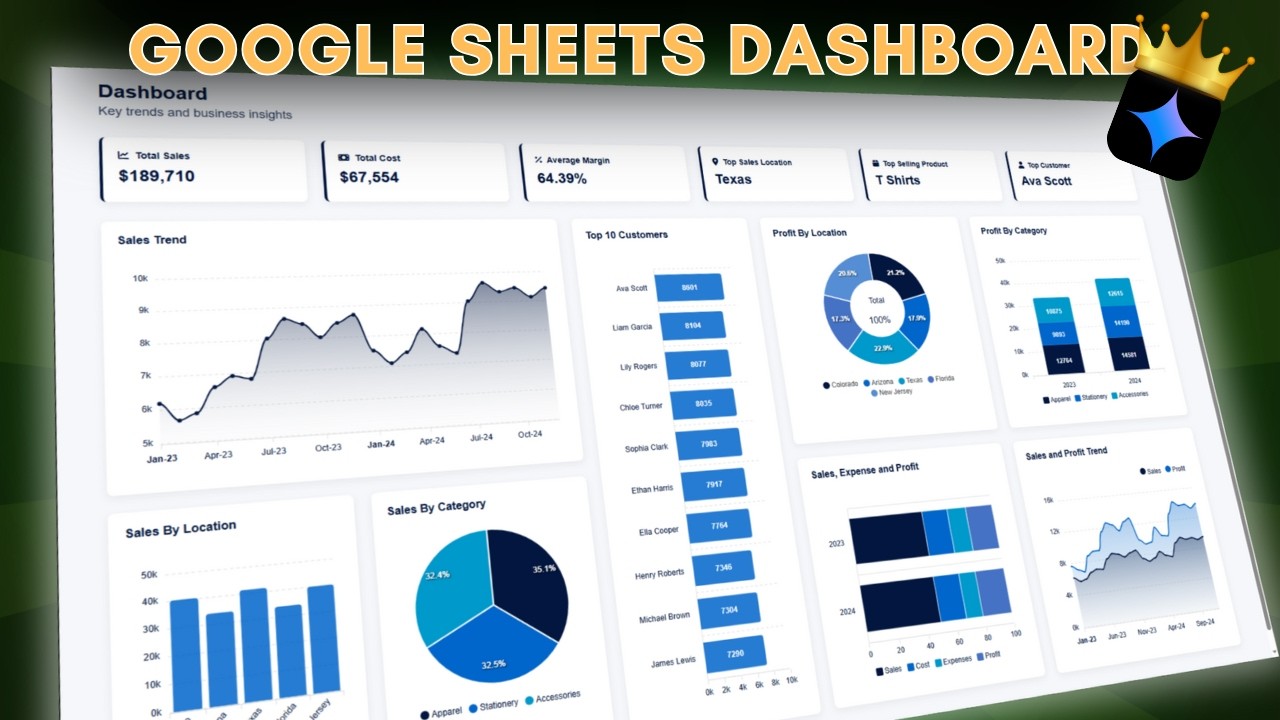
- Create Google Sheets dashboards using Google Gemini and Apps Script.
- AI assists in generating both backend and frontend code for web apps.
Supercharge Data Manipulation with ChatGPT-Generated Apps Script Macros
Ever wished you could just ask ChatGPT to write a Google Sheets script for you? Well, this video shows you how it's done. It’s a fantastic demonstration of using ChatGPT to generate Apps Script code for automating more complex data handling tasks. We're talking about things beyond just inserting a date – like dynamically selecting ranges, clearing original data after it’s been processed, and even adding custom menus to your spreadsheet for easy script execution.
This method is incredibly practical. Instead of struggling with syntax or spending ages figuring out the logic, you can get ChatGPT to draft the code. The creator then shows you how to refine it and integrate it directly into your Google Sheets. It’s a really clever way to tackle data manipulation challenges and seriously boost your efficiency. Plus, adding custom menus makes these automations super user-friendly for anyone using your sheet.
- Use ChatGPT to generate Apps Script code for Google Sheets automation.
- Automate data handling, clear old data, and add custom menus for execution.
Your Next Steps
By exploring these top YouTube tutorials, you've seen how Google Sheets automation can be achieved through Google Apps Script, no-code platforms like Make.com, and even AI assistants like ChatGPT and Gemini. You've got a clear roadmap from basic script triggers to AI-powered dynamic dashboards and sophisticated data manipulation.
Your Action Items
- ☐Pick one video from above and watch it on Querivo
- ☐Ask questions and check summaries while watching without breaking your flow
- ☐Use the AI chat to clarify confusing parts and deepen understanding
- ☐Come back for more curated videos on topics you want to master
Start implementing these techniques today to transform your Google Sheets workflow and unlock significant productivity gains.
Turn Any YouTube Video into an Interactive Lesson
Paste any video link, get an instant AI summary, and ask questions in real-time.
Try Querivo Free →Related Videos You Might Enjoy
Looking for more perspectives on this topic? Here are some additional videos worth checking out:
n8n Tutorial for Google Sheets (Automate Google Sheets)
This tutorial demonstrates how to automate workflows using n8n and Google Sheets, specifically by creating a form that captures project details and automatically appends them as a new row in a Google Sheet. It guides users through setting up the form submission trigger and connecting it to the Google Sheets 'append row' action.
Automate Google Sheets with Zapier: Step-by-Step Tutorial
This video provides a step-by-step tutorial on automating Google Sheets using Zapier. It demonstrates two key automations: sending Slack notifications when a Google Sheet row changes to a specific status, and capturing data from Gmail and saving it into a Google Sheet.
Ultimate Make.com Tutorial 2026 (Automate Google Sheets + Other Apps)
This Make.com tutorial demonstrates how to automate workflows by connecting Google Forms, Google Sheets, Gmail, and Slack. It guides viewers through creating a custom scenario to capture new project submissions, add them to a Google Sheet CRM, send a thank-you email, and notify the team via Slack.
Work Smarter with Google Sheets AI (Spreadsheet Gemini AI Tutorial)
This tutorial demonstrates how to activate and utilize Gemini AI within Google Sheets to generate custom spreadsheet templates. It covers enabling Gemini via the Google Admin console and then using the 'Help me organize' feature with specific prompts to create various project trackers and budget templates.
Google Form Automation Basics with Google Sheets and Apps Script
This video provides a beginner's introduction to automating Google Forms using Google Sheets and Apps Script. It demonstrates how to set up a Google Form, publish it, and then use Apps Script to create a trigger that runs a function whenever a form is submitted, allowing for basic data logging and access.
Macros in Google Sheets: Everything You Need to Know to Automate Repetitive Tasks
This video tutorial explains how to use Google Sheets macros to automate repetitive tasks by recording and replaying actions. It covers recording macros, understanding absolute vs. relative references, authorizing and running macros, managing existing macros, and applying formatting changes.